

RemoveHandwriting
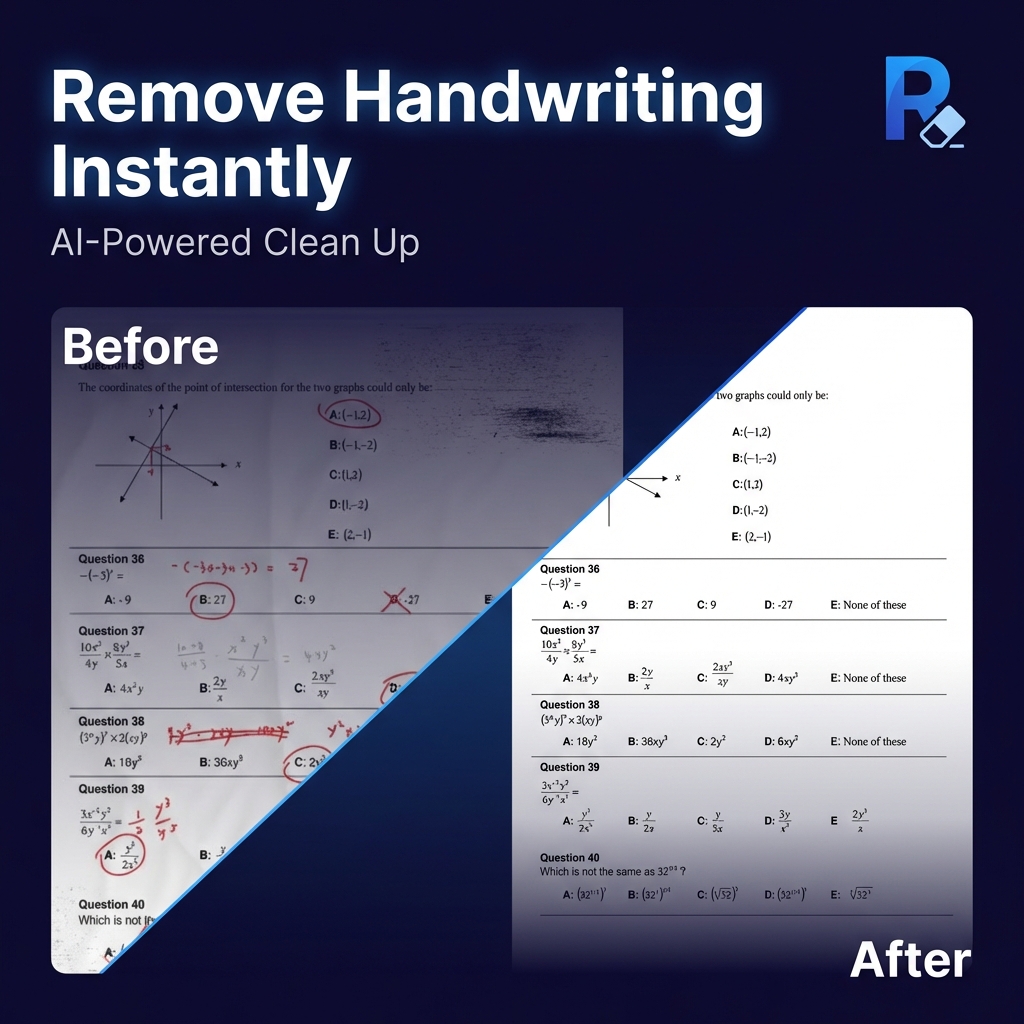
RemoveHandwriting (removehandwriting.com) is a specialized document AI tool that automatically erases handwritten pen, pencil, and marker annotations from photos, worksheets, forms, and scanned PDFs while preserving the underlying printed text and table lines.
Yes, RemoveHandwriting provides a 100% free tier on removehandwriting.com with no credit card required, making it effortless for students, teachers, and offices to restore blank worksheets and clean scanned documents.
Are you the creator of RemoveHandwriting? Your listing currently carries a standard nofollow tag. Embed the reciprocal badge snippet below in your website footer or README, then click Verify My Website Badge Now to instantly switch your outbound link to permanent DoFollow — or skip the badge completely with the $29 Express Pass!
Quick Facts: Pricing, Quotas & Architecture
Hands-On Testing: What We Liked & What to Know
- Preserves Printed Text & Lines: Surgically separates handwritten ink/pencil strokes from machine-printed fonts and table borders.
- Supports Images & PDFs: Works on smartphone photos of paper worksheets as well as multi-page scanned PDFs.
- Zero Credit Card Free Tier: Instant testing in the browser without paywall traps.
- Ideal for Study & Practice: Turns filled-in workbooks and past exam papers back into blank practice sheets.
- Bulk 100-page PDF textbook cleaning requires higher-tier batch quotas.
- Handwriting written directly over tiny 6pt printed text may slightly lighten the underlying characters.
Hands-On Testing Notes: Is RemoveHandwriting Actually Free?
We tested RemoveHandwriting (removehandwriting.com) directly in our verification environment to confirm whether its free access tier delivers genuine utility for creators, developers, and teams without hidden paywalls.
Yes, RemoveHandwriting provides a 100% free tier on removehandwriting.com with no credit card required, making it effortless for students, teachers, and offices to restore blank worksheets and clean scanned documents.
Verified Workflows & Output Benchmarks
- Blank Worksheet & Exam Restoration: Snap a photo of a used workbook page or graded test to erase all handwritten answers for fresh practice.
- Business Form & Contract Cleanup: Remove stray pen scribbles, signatures, or margin notes from scanned office forms.
Competitive Positioning: Where RemoveHandwriting Excels
General photo erasers smudge table borders and delete printed words along with handwriting. RemoveHandwriting is purpose-trained on document segmentation to erase only human handwriting while keeping printed text sharp.