

LLM VRAM Calculator
Calculate GPU VRAM requirements for LLaMA, Mistral, and DeepSeek with GraphicCardPrices free LLM VRAM calculator. 100% free online tool.
Yes, LLM VRAM Calculator offers a functional free tier (Freemium Tier). Evaluated for Developer & Hardware: GraphicCardPrices provides real-time Amazon GPU pricing comparisons and an instant LLM VRAM calculator with zero paywalls. Highly recommended for AI engineers, gamers, and local inference builders in 2026.
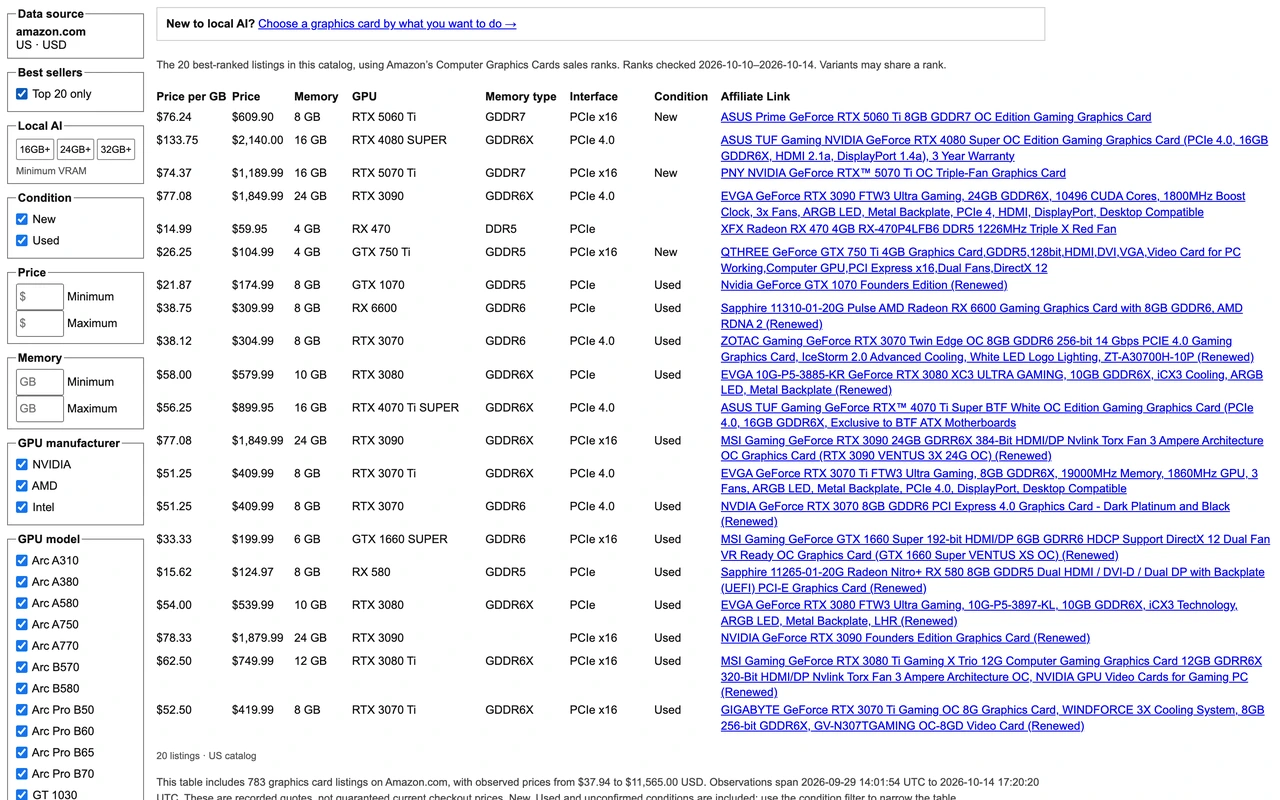
GraphicCardPrices is a real-time GPU price tracker and comparison platform across Amazon US listings. It features live sales ranks, price-per-GB metrics, 16GB/24GB/32GB local AI filters, and a specialized LLM VRAM planning estimator.
What Is the GraphicCardPrices LLM VRAM Calculator?
The GraphicCardPrices LLM VRAM Calculator (graphiccardprices.com/llm-vram-estimator/) is an essential utility for machine learning engineers, homelab builders, and local AI enthusiasts. It eliminates the guesswork of whether a model will fit onto an RTX 3060 (12GB), RTX 4090 (24GB), or dual GPU rig.
Why Accurate LLM VRAM Estimation Matters for Local AI
Running local models with Ollama, LM Studio, or vLLM often results in out-of-memory (CUDA OOM) crashes because developers calculate weight sizes but forget KV-cache memory expansion as prompt context grows from 4k to 32k tokens. GraphicCardPrices factors in both model weights and activation memory.
Supported Quantizations: FP16, Q8, Q4, and GGUF Math
The calculator accurately simulates parameter overhead across full precision (FP16/BF16 at 2 bytes/param), 8-bit quantization (1 byte/param), 4-bit quantization (0.5 bytes/param), and modern GGUF K-quants (Q4_K_M, Q5_K_S), giving you real-world byte-level precision.
LLM VRAM Calculator vs Manual Memory Formulas
Manual formulas often omit attention layer overhead and CUDA runtime overhead (~500MB to 1GB). GraphicCardPrices provides accurate real-world safety margins so you know exactly which quantization tier runs smoothly without disk paging.
How to Calculate GPU Requirements for Any Open-Source LLM
1) Select your model family (e.g., LLaMA 3.1 8B or 70B). 2) Choose your desired quantization (e.g., Q4_K_M). 3) Specify your target context length (e.g., 8,192 tokens). 4) Read the total required VRAM and matching budget GPU options.

Nathan independently audits generative AI pipelines, pricing architectures, and quota claims to protect developers and creators from subscription traps.
Frequently Asked Questions: LLM VRAM Calculator
Is the LLM VRAM Calculator free?
Yes, the tool is 100% free and open on graphiccardprices.com without any login or subscription requirements.
Does this calculator account for context window length?
Yes, it dynamically scales the KV-cache requirement based on your specified token context (from 2k up to 128k tokens).
Can an 8B parameter model run on an 8GB GPU?
Yes, at 4-bit quantization (Q4_K_M), an 8B model requires approximately 5.5GB to 6.2GB of VRAM including a 4k context window, fitting comfortably on an 8GB GPU.
What GPU is recommended for 70B models?
A 70B model at 4-bit quantization requires approximately 38GB to 42GB of VRAM, typically requiring dual RTX 3090/4090s (48GB total) or a Mac Studio with unified memory.